

Native Ecommerce Order Management Engine
The Znode Order Management System delivers centralized ecommerce order management for complex B2B environments. It brings order processing, status management, returns, and fulfillment visibility into a single platform, eliminating the need to manage orders across disconnected systems. Administrators coordinate all order activity directly within the Znode Admin Console. Built for B2B order management, the platform supports account-based purchasing, complex pricing, partial fulfillment, and post-purchase adjustments at scale.B2B Order Management in Znode Enables:
- Centralized order visibility across storefronts
- Order creation and administrative order entry
- Order status management and updates
- Returns and exchange processing
- Inventory-aware order workflows
- Customer communication management
- Voucher and price list management
- Multi-store order administration
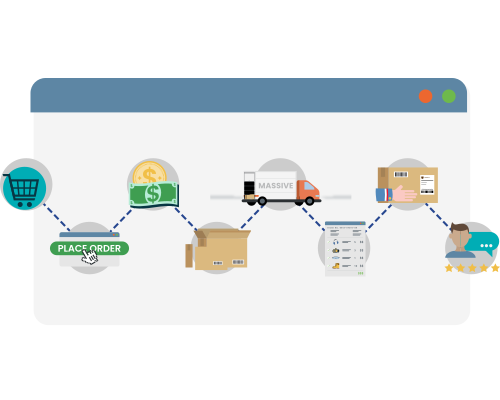

Bring Visibility and Control to Order Management
Manage complex orders, pricing, and fulfillment workflows with full visibility across storefronts.
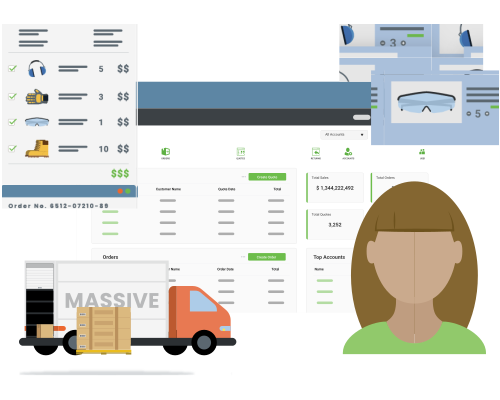
Centralizing Ecommerce Order Management
B2B ecommerce orders involve complex pricing, account structures, and fulfillment workflows that often span multiple systems. Without centralized ecommerce order management, visibility breaks down and teams rely on manual coordination to manage the order lifecycle. Znode centralizes ecommerce order management across storefronts, accounts, and systems, keeping order data, status updates, returns, and fulfillment activity in a single environment. Administrators manage the entire B2B order management lifecycle within the Znode Admin Console, simplifying operations and maintaining consistent order data across systems.
Built for B2B Order Operations

Unified Order Management
The Znode Order Management System operates as a native capability within the platform. Orders across storefronts and accounts are managed through a unified platform experience.

Administrative Order Control
Administrators can view, create, and update orders directly from the Znode Admin Console. Customer service teams can support purchasing workflows without requiring development or system intervention.

Multi-Store Order Visibility
Manufacturers, distributors, and wholesalers operating multiple storefronts manage order activity across brands, regions, and business units within a single platform environment.
Bringing Control to B2B Order Management with Znode
Operational Visibility: Centralized order records provide visibility across the entire order lifecycle including order creation, fulfillment updates, and returns.
Faster Customer Support: Customer service teams can access order history, update order status, resend confirmations, and initiate returns directly from the platform. This allows teams to resolve order issues quickly without relying on multiple systems.
Improved Order Accuracy: Centralized ecommerce order management keeps pricing rules, account structures, and inventory availability aligned with order workflows. This reduces manual adjustments and helps prevent order processing errors.
Support for Complex B2B Purchasing: B2B orders often include negotiated pricing, account hierarchies, purchase orders, and partial shipments. The Znode platform supports these workflows while maintaining a clear record of order activity.
Sales-Assisted Ordering: Sales representatives can securely access customer accounts to place orders on behalf of buyers. This allows sales and customer service teams to support purchasing workflows while maintaining accurate ecommerce order records. Sales-assisted ordering improves service for key accounts while keeping order management centralized within the platform.
Ecommerce Order Management Built on Znode
Znode provides administrators with direct control over ecommerce order workflows. Teams manage approvals, payments, pricing, and customer service activity from the Admin Console while maintaining visibility into inventory availability and warehouse fulfillment.

Pending Orders
View and manage orders that are awaiting approval or processing.

Approval Routing
Create approval workflows and allow approvers to review or update order details before fulfillment.

Pending Payment Management
Monitor orders awaiting payment and manage order status directly within the platform.

Pricing Engine
Configure complex B2B pricing by associating multiple price lists and pricing types with a single SKU.

Inventory Visibility
View inventory levels by warehouse and track product availability across storefronts. Inventory updates automatically as orders are processed, with alerts for low inventory thresholds.

Order Status Tracking
Track order progress from placement through fulfillment and post-purchase workflows.

Warehouse Management
Configure warehouse locations and fulfillment settings used for shipping calculations. Administrators can designate alternate warehouses when primary locations are out of stock.

Returns Management
Initiate and manage returns directly within Znode.

Customer-Specific Vouchers
Issue vouchers assigned to specific customers that are automatically applied during checkout.

Administrative Order Management
View, update, and manage customer orders directly from the Admin Console.

Sales-Assisted Ordering
Access customer accounts securely to place orders on behalf of buyers.
Ecommerce Order Management FAQs
Manage B2B Orders with More Control
The Znode Order Management System provides the operational visibility and control required to manage complex ecommerce orders across storefronts, accounts, and fulfillment environments.
Request a Demo