
Multi-Store Ecommerce Platform for B2B
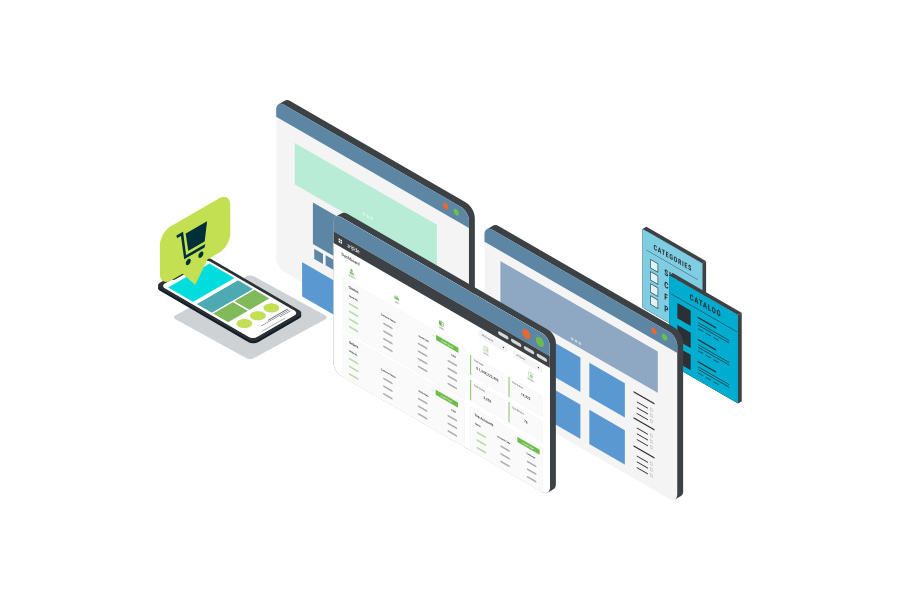
Znode is the multi-store ecommerce platform that unifies storefronts, catalogs, and pricing within a single environment. Product data, catalogs, and pricing are managed once and applied across storefronts, ensuring consistency at scale. Each storefront operates independently with its own experiences, while all stores are managed through centralized control.
Multi-Store Ecommerce in Znode Enables:
- Centralized management across all storefronts
- Storefront-specific branding, domains, and experiences
- Catalogs and categories built from centralized product data
- Account-based pricing and segmentation by store
- Shared services and customizations across stores, including inventory, accounts, orders, and integrations
- B2B2X storefront creation with B Stores
- Multi-region and multi-language support

Unlock Multi-Store Ecommerce Built for B2B
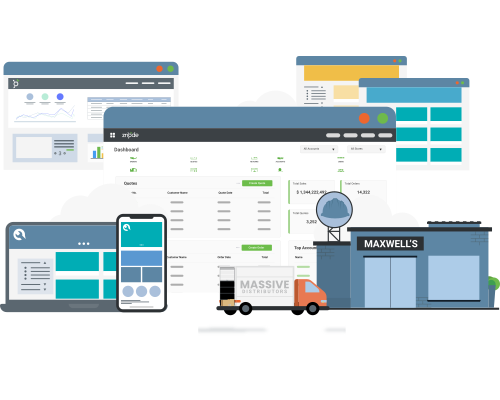
Launch and manage unique B2B storefronts while maintaining centralized control over products, pricing, and customers.
B2B Deserves Multi-Store Done Right
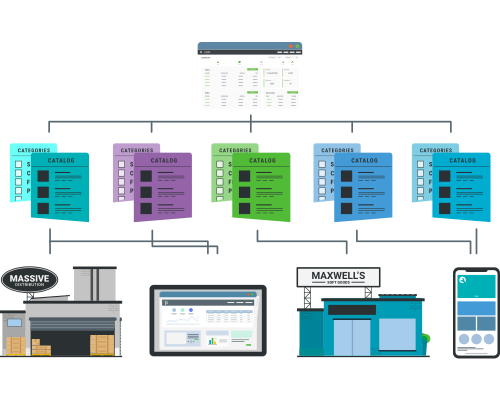
Most B2B organizations operate multiple storefronts to support different business units, brands, and customer segments. When each storefront is managed separately, duplication increases and operational complexity scales across catalogs, pricing, and integrations. Znode replaces single-store architecture with a unified multi-store model that centralizes product data, pricing, inventory, and integrations. Administrators manage all storefronts within the Znode Admin Console, applying catalogs and configurations across stores as needed to simplify operations and support scalable multi-store ecommerce.
Built for Multi-Store B2B Operations

Centralized Store Control
All storefronts are managed within the Znode Admin Console. Teams configure and operate multiple stores without maintaining separate systems.

Independent Storefront Experiences
Each storefront supports unique branding, catalogs, pricing models, and content. Organizations tailor experiences by brand, region, or customer segment.

Account-Based Catalogs and Pricing
Catalogs and pricing structures are defined once and applied across storefronts by account, contract, or segment. This supports complex B2B purchasing without duplication.

Shared Ecommerce Infrastructure
Core ecommerce functions including product data, inventory, orders, and integrations operate across all storefronts. This maintains consistency while reducing operational overhead.

Scalable Store Expansion
New storefronts are launched using existing configurations, catalogs, and integrations. Expansion does not require rebuilding infrastructure or managing additional data.
The Impact of Multi-Store Ecommerce with Znode
Accelerated Speed-to-Market: Launch new storefronts using existing infrastructure without rebuilding integrations or duplicating systems.
Consistent Data and Governance: Product data, pricing, and inventory remain aligned across storefronts, reducing inconsistencies and manual updates.
Support for Complex Business Models: Operate unlimited B2B, B2C, and B2B2X storefronts within a single platform while maintaining distinct customer experiences.
Improved Administrative Efficiency: Teams manage and apply catalogs, content, pricing, and orders for storefronts from one system, reducing operational overhead.
Znode in Action: Multi-Brand Management for Midmarket Distributor
A regional HVAC and plumbing B2B distributor uses Znode’s multi-store capabilities to manage three distinct distribution brands, each with its own unique look and feel, product catalogs, and pricing structures. All storefronts are managed from a single, centralized Znode platform powered by a shared core dataset, enabling operational efficiency and consistent data management while delivering tailored digital experiences for each brand.

Storefront Management

Multi-Store Configuration
Create and manage multiple storefronts within a single platform instance. Each store operates independently while remaining centrally governed.

Branding and Domain Control
Configure unique domains, themes, and branding for each storefront to reflect different business units and markets.

Store-Level Settings
Define shipping, tax, payment methods, and localization settings by storefront.
Catalog and Product Management Across Stores

Multi-Catalog Management
Assign multiple product catalogs to a single storefront based on customer accounts, pricing structures, or business rules. Catalogs can be shared across storefronts or segmented by business unit, region, or customer type.

Product Data Governance
Manage product information centrally while controlling how products appear across storefronts.

Inventory Visibility
Maintain real-time inventory visibility across warehouses and storefronts.
Pricing and Customer Segmentation

Flexible Pricing Capabilities
Configure pricing models by storefront, customer account, or segment using price lists and contract pricing.

Account-Based Experiences
Deliver personalized catalogs, pricing, and purchasing workflows based on account structures tied to each storefront.
B2B2X and Store Expansion

B Store Creation
Create B Stores that extend existing storefronts to support distributors, dealers, or partners. Each B Store inherits core configurations while allowing tailored catalogs, pricing, and customer experiences.

Accelerated Store Launch
Launch new storefronts using existing configurations, integrations, and product data to support faster expansion.

White-Label Storefronts
Deploy white-label storefronts for distributors, partners, or buying groups. Each storefront delivers a tailored purchasing experience with unique catalogs, pricing, and branding while maintaining centralized control.
Unified Operations Across Stores

Order and Customer Management
Manage orders, accounts, and customer activity across all storefronts from a centralized Admin Console.

Integration Consistency
A single connection to ERP, CRM, and other systems through the Commerce Connector supports all storefronts, reducing integration complexity.

Admin Console Control
All storefronts are managed through the Znode Admin Console, providing visibility and control across the multi-store environment.
Multi-Store Ecommerce in B2B Environments
- Multi-brand manufacturers and distributors managing distinct storefronts for each brand
- Distributors operating region-specific storefronts with localized catalogs and pricing
- Organizations expanding into new markets without deploying new platforms
- B2B2X models supporting distributors, dealers, or partner storefronts
- Organizations consolidating multiple legacy ecommerce platforms into one system

Blog List
Multi-Store Ecommerce Platform FAQs
Grow Multi-Store Ecommerce with Confidence
Znode provides the flexibility to operate multiple storefronts while maintaining centralized control. Support complex business models, expand into new markets, and manage ecommerce operations at scale.
Request a Demo